Missivus for Matomo
Everything Matomo sends — password resets, scheduled reports, alerts, anything that goes through Piwik\Mail — delivered through Microsoft Graph. No SMTP, no user login, no licensed account.
SMTP AUTH basic authentication is disabled by default for Microsoft 365 tenants from the end of December 2026, and unavailable by default for new tenants after that; final removal will be announced for late 2027. Updated timeline (January 2026)
What it does
The supported Microsoft path
Sends via Graph with client-credentials application permissions — the route Microsoft documents for server software, not a workaround that survives until the next security baseline.
One mailbox, enforced by Exchange
Designed around an application access policy scoped to a single free shared mailbox. Even a fully leaked credential can send as exactly one no-reply address, nothing else.
Large attachments handled
Graph caps inline attachments at 3 MB. Missivus detects oversized scheduled-report PDFs and switches to Graph's chunked upload-session path automatically. There is no setting to get wrong.
Secret or certificate
Start with a client secret — two clicks in Entra. Move to certificate authentication any time; nothing gets reinstalled. Credentials can live in the settings page, config.ini.php, or environment variables.
Fails loudly, never silently
Ships switched off. Every Graph failure is logged at error level with secrets redacted. An optional fallback to Matomo's own transport exists, but it is off by default — a visible failure beats an email that quietly goes nowhere.
Security-reviewed
The transport, settings model, API surface and Vue component were audited for secret leakage, CSRF and authorisation — findings and fixes are published in full.
Requirements
- Matomo 5 (self-hosted)
- A Microsoft 365 tenant and an account that can create app registrations and grant admin consent
- PHP 7.4+ on the Matomo server — no extra PHP extensions, no Composer
- About thirty minutes for the one-time Microsoft setup
In the Matomo UI
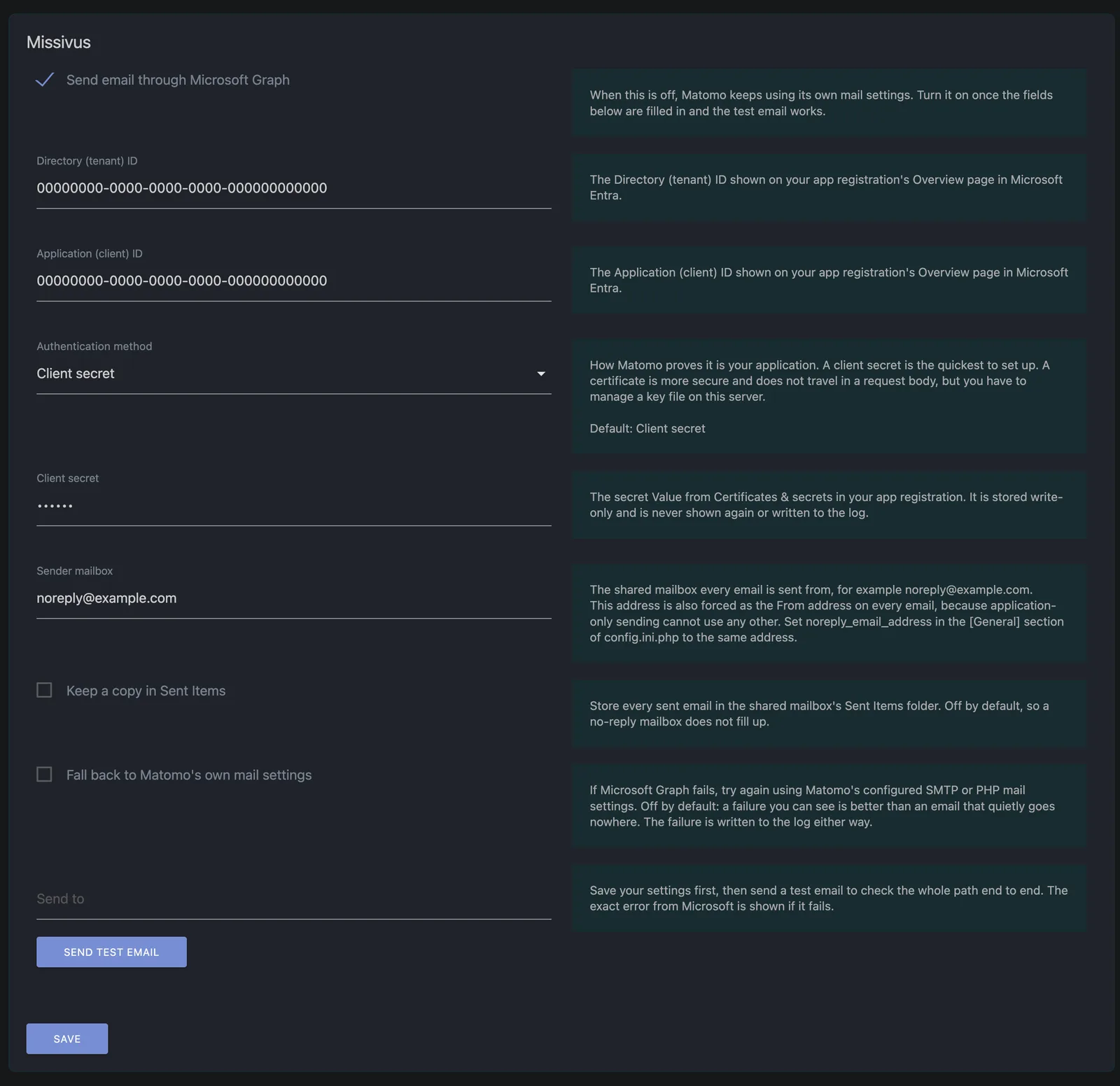

Get the plugin
Download from GitHub
Release zip, source, changelog and issue tracker.
Matomo Marketplace
Install from within Matomo — search for "Missivus" — or open the Marketplace listing directly.
Two ways to get it running
Install it yourself
The interactive setup guide pre-fills every Entra click and every PowerShell line with your own values — nothing leaves your browser.
Have Solvetus install it
One appointment — Entra app, access policy, mailbox, plugin, test email, handover document. The software stays free; you pay for the hour, not the tool.